
ElementOne element, fully explained
Its font, size, weight, colour, spacing and box model, with the CSS behind them. Switch between px and rem so the numbers match the way your team talks.
Free for Chrome and Firefox
Hover over a heading, a button or a photo, and its font, colours, spacing and CSS appear in a panel beside the page, each with its own copy button. It's free and needs no account, and the copy you download reports nothing back to anyone. Hover over anything on a page, and its font, colours, spacing and CSS appear beside it, ready to copy. It's free, with no account.
Free · No account · No tracking · Chrome and Firefox
In Chrome, you load it yourself in three short steps while it waits for the Chrome Web Store. After that, AltShiftS opens it, or ⌘ShiftS on a Mac.
Chrome installs it from the Chrome Web Store and keeps it up to date. After that, AltShiftS opens it, or ⌘ShiftS on a Mac.
Code Specimen for Firefox is in review at Firefox Add-ons, and this button will open the listing as soon as it's approved. It's ready for Chrome today.
Firefox installs it from Firefox Add-ons and keeps it up to date. After that, click its icon or press AltShiftS, and it opens in Firefox's sidebar.
It runs in Chrome or Firefox on your laptop or desktop, so send yourself the link for later.
Free · No account · No tracking
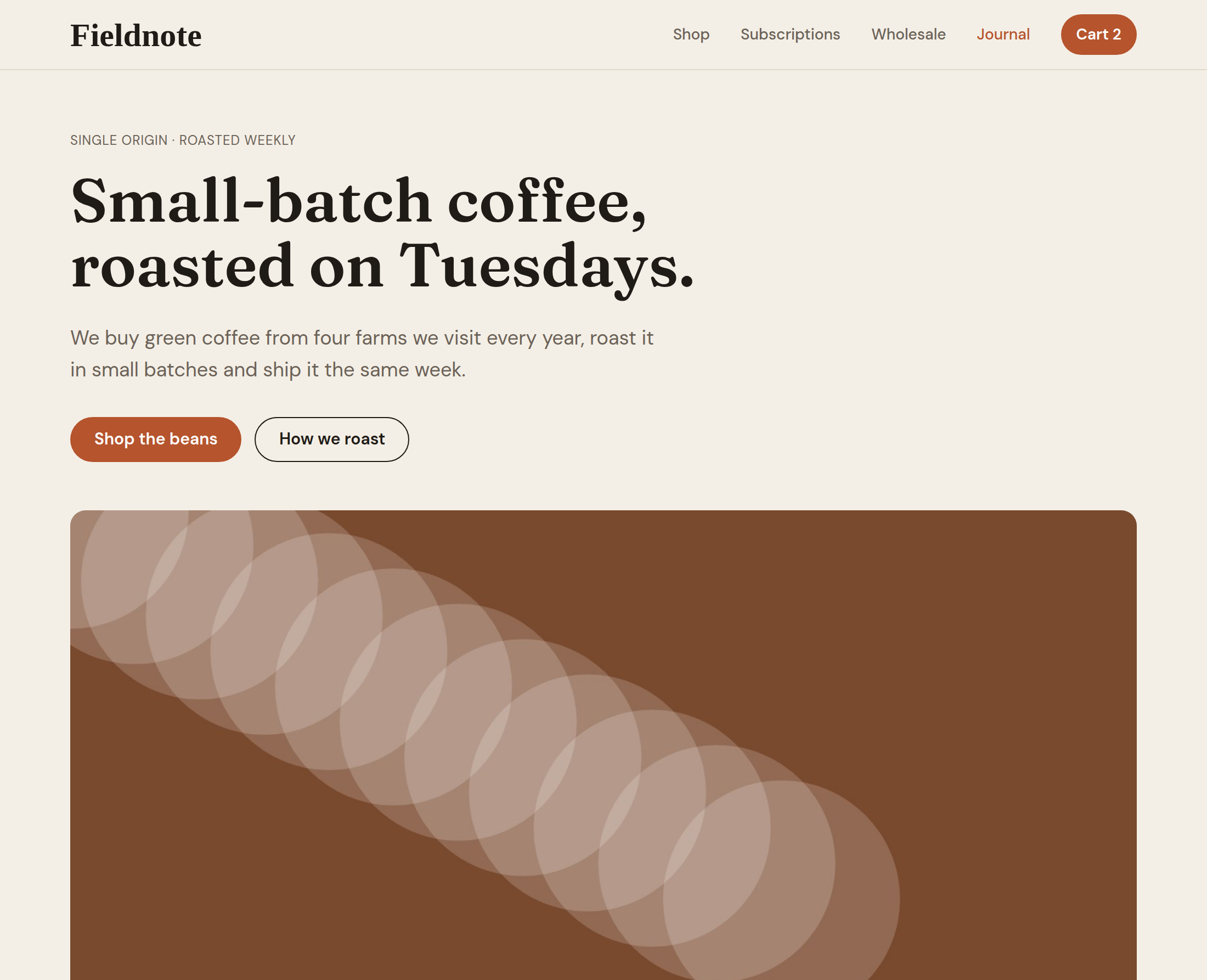
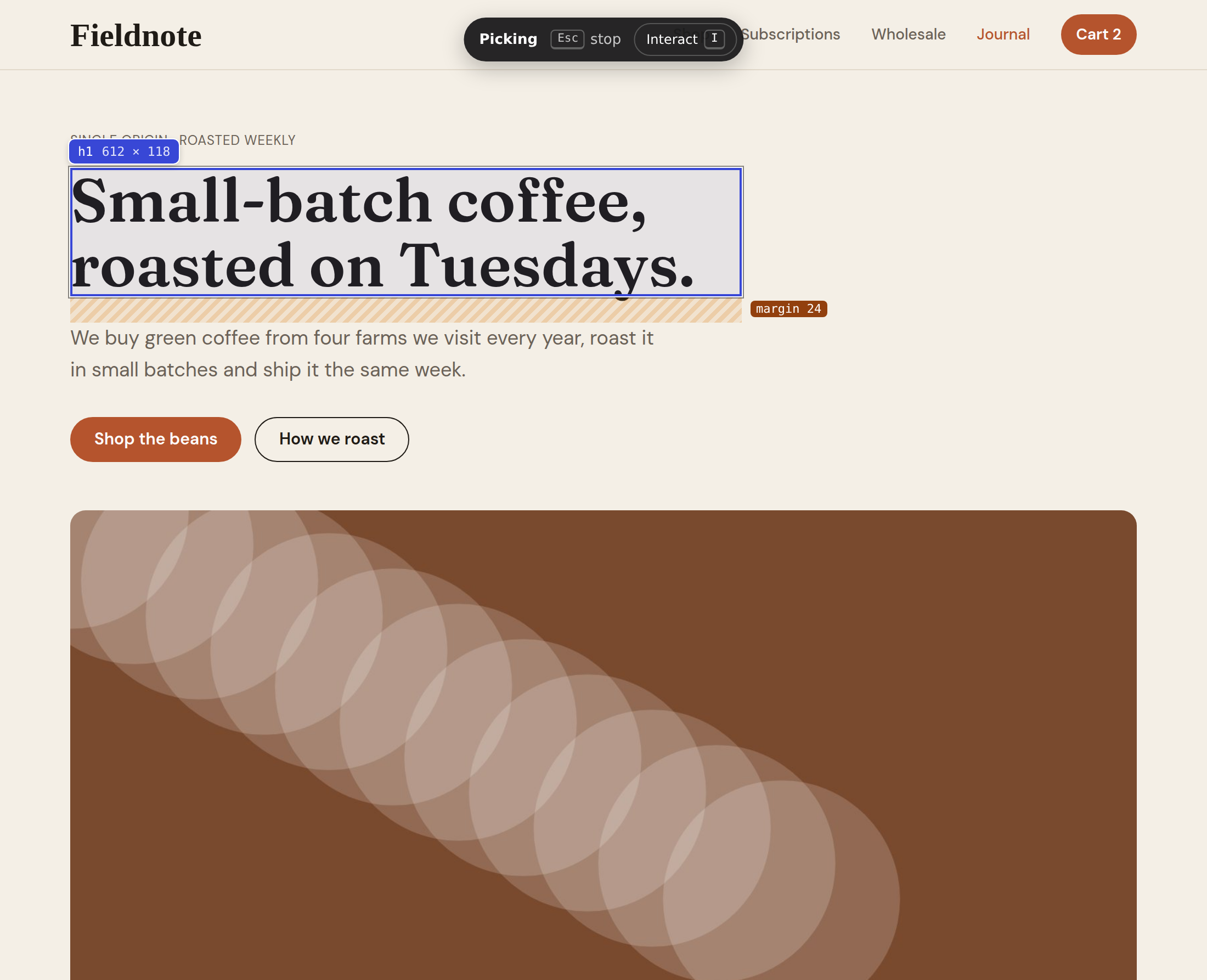
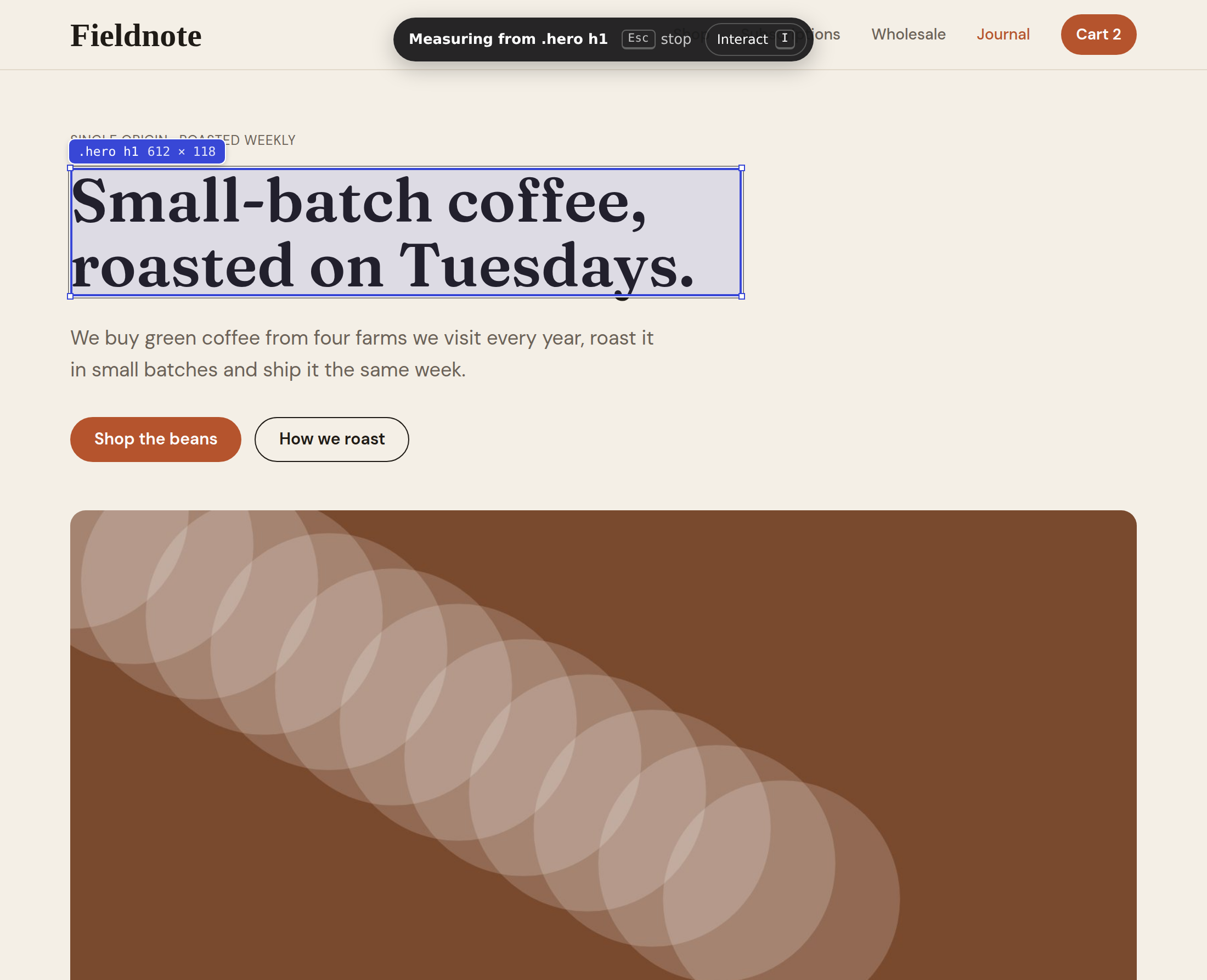


How it works
You won't need DevTools or a trawl through someone else's stylesheet, because the panel does the reading. It sits beside the site rather than on top of it, so nothing you're looking at gets covered. Opening it never reloads the page, either.
As you move over the page, each element outlines itself with its tag and size, so you always know what you're pointing at.
AltShiftS⌘ShiftSopens it
A click holds the element in place while you read. When you need the page itself, press I, and press Esc when you're finished.
Every value has a copy button of its own, and Copy all CSS takes the whole rule at once.
What you get
If you design, start with the type scale and the palette, since those are what give a site its feel. If you build, you'll want exact values in px or rem, or a whole component with its hover and focus styles, all without opening DevTools. Moving a site to a new platform? Take the look you already have with you. The same four tabs serve each of those jobs, because they all start from one question: what is this page actually made of?
Its font, size, weight, colour, spacing and box model, with the CSS behind them. Switch between px and rem so the numbers match the way your team talks.

Every text style on the page, from H1 down to the smallest caption, with its family, weight and size. Seeing them side by side is often the quickest way to understand a site's typography.

Colours come grouped into text, background and border, each with its contrast ratio, so you can tell which pairs are safe to borrow. Export them as CSS variables, a Tailwind config or JSON.

Images, SVGs and CSS backgrounds land in a single grid. Save the one you need, or tick several and download them together as a zip.
Deeper tools
These are free as well, and each one earns its place on a harder day.
Take a button, card or menu as HTML and CSS, with its hover and focus styles and media queries included.
Try a new size or colour on the real page, then undo it.
Find out what a button does on hover without trying to screenshot it mid-hover.
Click a colour, and every place the page uses it lights up.
Step to the parent or the next element instead of chasing it with the mouse.
Pick a colour straight out of a photo, since not every colour on a page lives in its CSS.
Copying a colour or a font size is the reason anyone installs a tool like this, so it isn't locked behind a plan. There's no account to create, and nothing you look at is reported to anyone.
Tailwind, with your own key
If your team builds with Tailwind, you can convert any component into Tailwind classes using your own Anthropic, OpenAI or Google Gemini key. You see the exact request before it goes, and nothing is sent to your provider until you press Generate. Code Specimen charges nothing for this. Your provider does bill your own account for each request, just as it would anywhere else, which is worth knowing before you start.

Before you install
If an extension has ever surprised you with a paywall or a pop-up, you have every reason to read this part closely, so here is how this one is built. Copying CSS, fonts, colours and images is free, with no account and no daily limit. There are no analytics and no ads, and the copy you download reports nothing. Nothing runs until you open it. When you do, the page stays exactly where you left it, because opening the panel never reloads it, and installing asks your browser for four permissions at most without showing a list of sites.
You don't have to take our word for any of it. Open Fieldnote Coffee, our demo site, and compare what the panel shows with the figures on this page, or read the privacy policy for the full detail.
| Permission | What it's for |
|---|---|
Side panel sidePanel | Show a panel beside the page |
Active tab activeTab | Read the tab you're on, only when you open it |
Scripting scripting | Draw the outline while you pick |
Storage storage | Remember your settings on this computer |
| Behaviour | What happens |
| Installing | Shows no list of sites |
| When it runs | Only when you open it |
| Tracking | None. No analytics and no ads |
| Opening it | Never reloads the page you're on |
| Light and dark | Follows your computer's setting |
Runs only when you open it · No trackingRead the privacy policy
More Specimen tools
Code Specimen is the first of a small family of browser tools from XFireTools. The next two are for people who work on search and ads. SEO Specimen keeps the same promises as this one: the core features are free, there's no account, and it asks your browser for as little access as the job allows.
Available for Chrome and Firefox
Read any page's fonts, colours, CSS and images in a panel beside it, and copy what you need.
You're on its page now.
In progress
SEO checks on Google's results and any page you open.
Find out moreIn progress
A quick way to check that your ad and analytics tracking works.
Find out moreAdd it to Chrome or Firefox. Then, the next time a site makes you wonder how it was built, press AltShiftS and look.
Send to my computerFree · No account · No tracking
It runs in Chrome or Firefox on your laptop or desktop, so send yourself the link for later.
It isn't in the Chrome Web Store yet, so for now you load it into Chrome yourself. You only do this once.
Unzip the file into a folder you'll keep, because Chrome runs the extension from that folder rather than copying it.
Open chrome://extensions, switch on Developer mode in the top right, then press Load unpacked and choose the folder.
Click the puzzle piece in Chrome's toolbar and pin Code Specimen, so it's one click away. Then press AltShiftS, or ⌘ShiftS on a Mac, on any page.
Getting a newer version. Download it again, unzip it over the same folder and press the reload arrow on Code Specimen's card in chrome://extensions. Every copy from this site shares one identity in Chrome, so a newer one replaces the older one instead of sitting beside it.
It's in the Chrome Web Store, so Chrome installs it for you and keeps it up to date.
Open Code Specimen in the Chrome Web Store and press Add to Chrome.
Click the puzzle piece in Chrome's toolbar and pin Code Specimen, so it's one click away. Then press AltShiftS, or ⌘ShiftS on a Mac, on any page.
Installed it from this website before? Remove that copy in chrome://extensions first. The website's copy and the store's copy are separate extensions to Chrome, so keeping both would give you two.
Code Specimen for Firefox is in review at Firefox Add-ons. As soon as it's approved, the Firefox buttons on this page will open the listing, and Firefox will install it and keep it up to date for you. It opens in Firefox's sidebar, with the same features as the Chrome version.
Using Chrome as well? Code Specimen is already in the Chrome Web Store. Open the Chrome Web Store listing.
It's on Firefox Add-ons, so Firefox installs it for you and keeps it up to date.
Open Code Specimen on Firefox Add-ons and press Add to Firefox.
Click the puzzle piece in Firefox's toolbar, then the gear beside Code Specimen, and choose Pin to Toolbar. After that, click its icon or press AltShiftS on any page, and it opens in Firefox's sidebar.