
Positions you can report
Ads, the map pack and AI Overviews are labelled and left out of the count, so the position you report is the one a searcher sees.
Free for Chrome and Firefox
Your own searches will tell you, and SEO Specimen keeps count.

The search log
AI Overviews change from one search to the next, so a single screenshot of your site being cited proves very little. Save a keyword and the sites you care about, then search the way you normally would. SEO Specimen logs each search as it happens, and over time you see how often every site was cited out of how many searches, which is the number a client actually wants to hear.
Results shift with the country, the device and whether you were signed in, so each search records those too, and the log never blends them without telling you. When Google hides a source's address, your sites are still matched by the name on the card. And if an Overview was collapsed or couldn't be read, the log says so rather than counting it as a citation you lost.
On the results page
Open the panel on any Google search and the results come numbered by their real position, so the third organic result is number three even when ads and AI blocks sit above it.
Ads, the map pack and AI Overviews are labelled and left out of the count, so the position you report is the one a searcher sees.

People also ask is collected in Google's order, and each answer you open shows the site behind it, which tells you which competitor owns that question.

Compare lays every result side by side, and the market switch opens the same search on Google in any of 30 countries, set to that country and its language.
Swipe to see all 3 →
Client reports
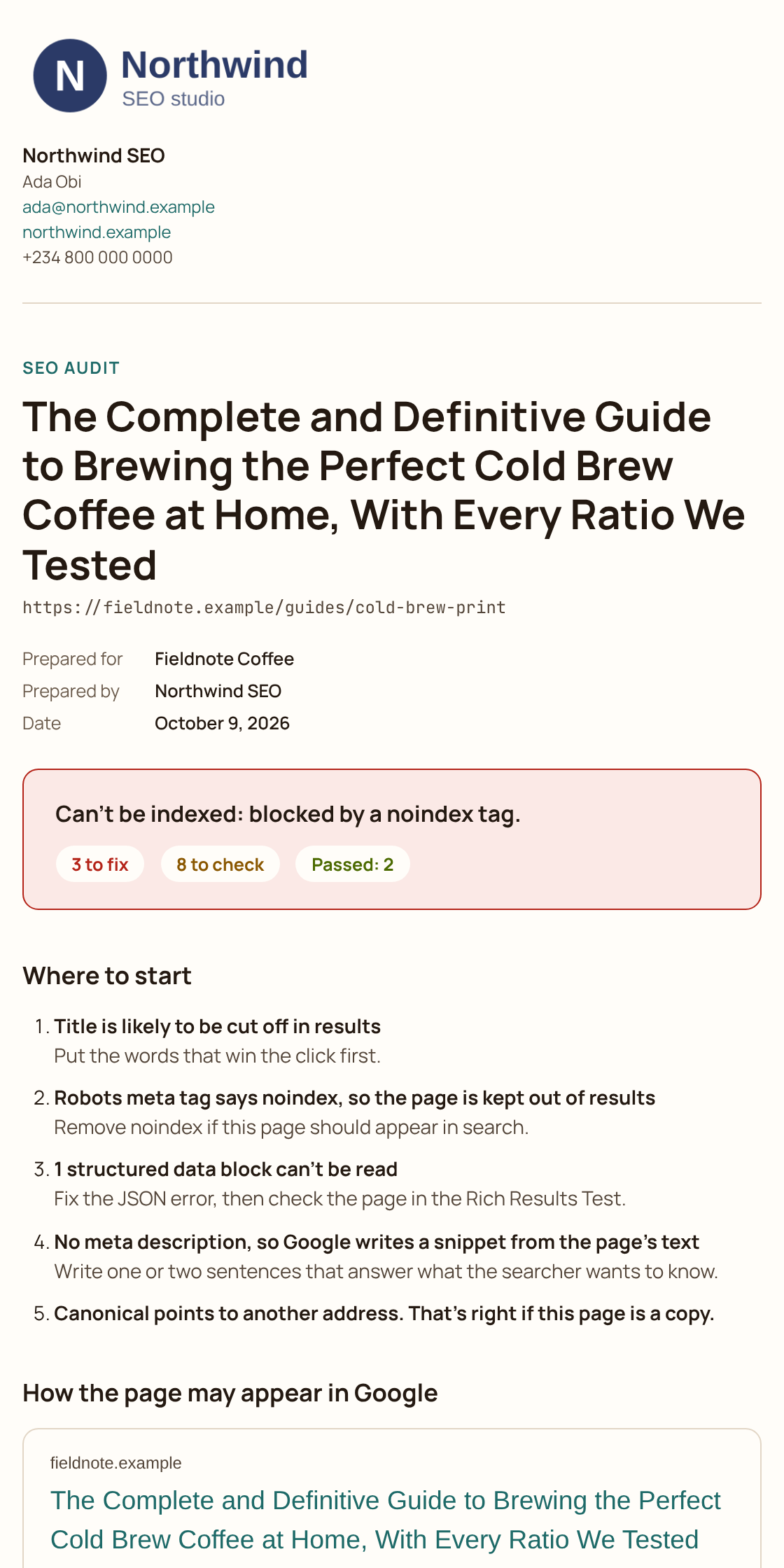
Add your business name, contact details and logo once in Settings. From then on, any audit becomes a clean A4 report in one press, ready to save as a PDF and attach to an email.
The report leads with where to start, so your client sees the few fixes that matter before the full list, and every finding explains why it matters and what to do about it. Your logo heads the report, while SEO Specimen appears only as one small line in the footer.
On any page
Press the icon on any page and the audit opens on its title and description, measured in pixels the way Google trims them rather than counted in characters.

A title can pass a character count and still be cut off, because Google measures width, so the audit shows where yours will break and how the result will look.

Switch on highlighting and each link on the page is outlined by its type, in line styles you can tell apart even without colour.

Bring your own Anthropic, OpenAI or Gemini key for title rewrites and schema drafts. The key is checked the moment you save it, and nothing goes out until you press a button.
Swipe to see all 3 →
Private by design
SEO Specimen reads Google's results pages in the 30 markets it supports, and any other page only after you press its icon, which is why it never asks for access to every site you visit. Your keywords, your search log and your business details stay on your computer.
Here is the short version of what it does and doesn't touch, and the privacy policy has the full detail.
Questions
No. It only reads the results pages you open yourself, because Google's spam policies name scraping results for rank checking as a violation. Search again opens one search in your tab, the same as typing it.
Google's AI Overviews on the normal results page. AI Mode, ChatGPT, Perplexity and Gemini are separate products and are not covered.
AI Overviews change between searches, so one screenshot can mislead you in either direction. The log counts how often each source is cited across many searches, and it tells you plainly when there are still too few to trust.
Only as one small line in the footer of each page. Your logo, name and contact details head the report.
Yes, with no account and no usage limits. The optional AI tools run on your own key, so any charge for them is between you and your AI provider, never us.
Yes. It opens in Firefox's sidebar, where it numbers your results and keeps your search log just as it does in Chrome.
It's free for Chrome and Firefox, and there's no account to create.
We'll send one email when it reaches the stores, and nothing after that.